2025
ComfyUI Chibi Sprite Pipelines
Three ComfyUI workflows — character LoRA in, pixelated chibi idle / walk / run sprite frames out, in every POV
- ComfyUI
- Stable Diffusion XL
- ControlNet Union ProMax
- Character LoRAs
- LoRA (pixel sprite style)
- Florence-2
- lineart_anime preprocessor
- Comfyroll / easy-use nodes
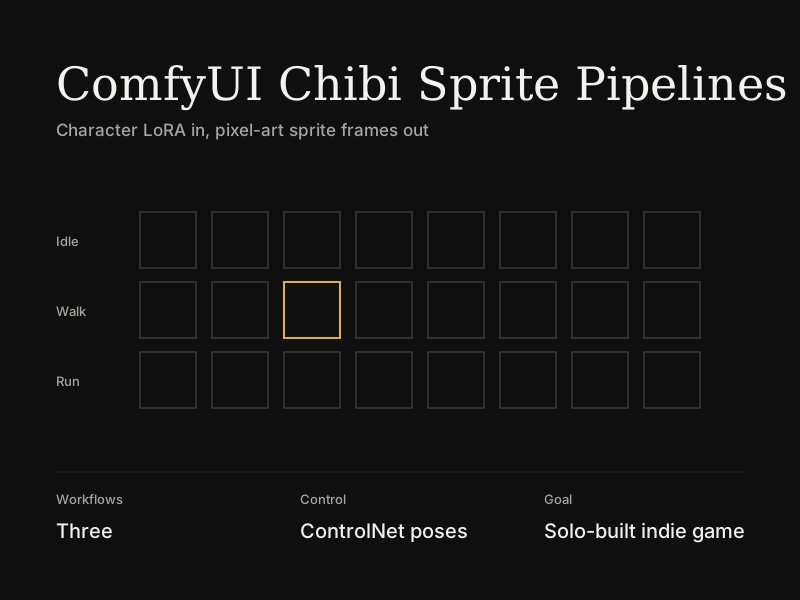
Three saved ComfyUI workflows that turn a character LoRA into pixelated chibi game sprites — not single images, but repeatable frame sets for idle poses, walking, and running, each across four POV directions: left, right, towards the viewer, and away from the viewer.
The three workflows
| Workflow | Purpose |
|---|---|
Video_Game_Chars_Pixel_Chibi_Poses | Single-frame idle / key poses |
Video_Game_Chars_Pixel_Chibi_Walking V2 | 8-frame walk cycles per direction |
Video_Game_Chars_Pixel_Chibi_Running V2 | Run cycles with the same POV routing |
Each workflow shares the same core stack and differs in pose reference frames and motion-specific prompts.
Pipeline architecture
Model stack
- SDXL checkpoint (
waiNSFWIllustrious_v140) - Character LoRA (swap per subject — e.g. a character identity LoRA at strength 1.0)
- Pixel sprite LoRA (
GAME_ElinSpriteNoobLocon_byKonan) for chibi / 8-bit style - Output latent size 1024×1512, decoded through the checkpoint VAE
ControlNet conditioning
- ControlNet Union ProMax (
diffusion_pytorch_model_promax) - lineart_anime preprocessor (SDXL, 512px) via Art Venture nodes
- Pose guides loaded as reference images — standard game-animation keyframes: Contact, Going Down, Average / break, Going Up, mirrored for left vs right foot forward
Frame selection
- Multiple
LoadImagenodes feed aneasy imageIndexSwitch(or ComfyrollCR Image Input Switch) so one workflow covers every frame in a cycle without duplicating the graph - Walking and running workflows chain switches to route side-profile pose guides vs away-from-viewer silhouette guides separately
Sampling
- KSampler: euler_ancestral, 40 steps, CFG 5, randomize seed
- ControlNet strength tuned per workflow (~0.5–0.7; walking/running use a shorter apply window — start 0%, end 20%)
POV-specific prompt engineering
Each direction gets its own positive / negative prompt bank — the model will mix signals if you reuse one prompt for all angles.
| POV | Positive emphasis | Negative blocks |
|---|---|---|
| Towards viewer | Front orthographic view, both eyes visible, symmetrical face, motion toward camera | Side view, profile, 3/4 angle, cropped bust |
| Left / right | Side profile, one eye visible, motion in walk/run direction | Front view, both eyes visible, perspective tilt |
| Away from viewer | Back view, back of head/hair/clothes, legs stepping away | Face, eyes, mouth, chest, looking at viewer, 3/4 view |
Shared positive tokens across all POVs: pixel art, chibi, 8-bit, solo, full body, white background.
Away-from-viewer fix (documented in-graph): A workflow note explicitly says to remove face / eyes / mouth / eyebrows from the character description when generating back-facing frames — otherwise the model fights the pose guide and renders a face on a back-view silhouette.
The hard part: away-from-viewer consistency
Side and front POVs stabilized once pose guides and per-direction prompts were split. Away-from-viewer was the outlier: frame-to-frame drift in silhouette, hair volume, and limb placement.
What helped:
- Dedicated back-view prompt + negative sets (block all facial features)
- Stripping facial descriptors from the character LoRA prompt on away-facing runs
- Separate away-viewer line-art pose references routed through
CR Image Input Switchchains - In the walking workflow, Florence-2 (
CogFlorence-2.2-Large) captions away-facing pose guides to verify the preprocessor sees a true back profile (e.g. "side profile, facing away from the viewer") before generation
Running and walking V2 workflows both encode this as parallel prompt branches and switch routing — not a single one-size-fits-all graph.
Output
Per character + animation type, the pipeline produces a multi-frame sprite set ready for assembly into game-engine sprite sheets — idle keyframes plus directional walk and run cycles, each with left, right, toward-camera, and away-from-camera variants.
Why it matters
Generative pipelines need the same discipline as software: isolate variables (one POV per prompt bank), version graphs (V2 walking/running split from the base poses workflow), and encode lessons in the graph itself (sticky notes for hair prompts, away-view face stripping, which switch index maps to which frame).